If you've ever signed up for a financial account, a marketplace, or an online service that handles money, you've probably been asked to prove who you are. It can feel like a hurdle when you just want to get started, but identity verification is one of the most important protections in digital services today. Here is what it is, why it exists, and what actually happens when you submit your ID.
What is identity verification?
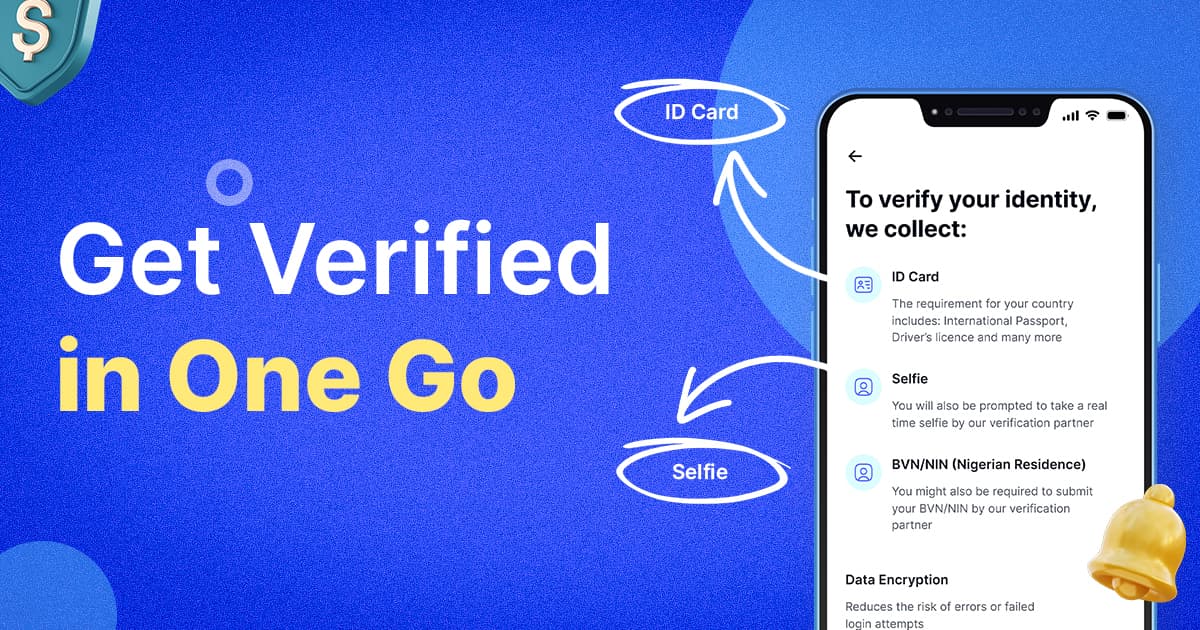
Identity verification is the process of confirming that you are who you say you are. In practice, it means matching three things:
The details you entered, such as your name, date of birth, and address.
A government-issued document, such as a passport, national ID card, or driver's license.
You, through a live selfie compared against the photo on your document.
If all three line up, your identity is confirmed. You may also hear this called KYC, short for "Know Your Customer," which is the term regulators and financial institutions use for the same idea.
Why it exists
It protects you. Without verification, anyone could open an account in your name, using your details. Confirming identity at the start makes it much harder for someone to impersonate you, take over your account, or use your identity for fraud.
It protects the community. Services that move money or hold assets are targets for scams, money laundering, and other financial crime. Verification helps keep bad actors out, which keeps the platform safer for everyone else.
It's often required by law. Regulators in many countries require certain businesses to verify their customers before offering services. This is a legal obligation, not an optional extra, and the specific requirements differ by country. That's why accepted documents and checks vary depending on where you live.
What happens behind the scenes
When you submit your verification, a few checks run:
Document check: The system confirms your ID is genuine, unexpired, and issued by a recognized authority. It looks for signs of tampering and checks that the document was captured live rather than copied from a screen or a photocopy.
Data match: The name, date of birth, and address on your ID are compared with what you entered on your account.
Liveness and face match: Your selfie confirms that a real person is present and that your face matches the photo on the document.
Location check (in some regions): Where you are when you verify may be compared with the address on your ID.
Most of this happens automatically and quickly. In some cases a submission is flagged for additional review, which can take a little longer.
Why verifications get rejected
Rejections are rarely about anything suspicious. They usually come down to small, avoidable issues:
Image quality: Blurry photos, glare, poor lighting, or a document with a corner cropped out.
Mismatched details: A nickname instead of a legal name, a missing middle name, or an address formatted differently from the one on the ID.
Wrong kind of document: An expired ID, a photocopy, a scan, or a photo of a screen instead of the physical document.
Interrupted sessions: Closing the tab, refreshing the page, or losing connection partway through.
Someone else doing it for you: Verification has to be completed by the person being verified.
Almost all of these are easy to prevent, which is where the tips below come in.
Your privacy matters
Verification requires sharing sensitive information, so it's fair to ask how it's handled. Only submit your documents through official, secure channels, and never send ID photos over email, chat, or social media. If anyone contacts you asking to "verify" your account by sending them your ID directly, treat it as a scam.
The bottom line
Identity verification is a short step that does a lot of work. It keeps your account yours, keeps the platform safer, and satisfies legal requirements. Most people finish in a few minutes, and most problems come from small preparation mistakes rather than anything difficult.
So before you start, get your physical ID, find good lighting, and set aside a few uninterrupted minutes. Here's exactly how to do it.
Get Verified on Padiepay in One Go
Identity verification usually takes less than 1 hour when your document and photos are ready. Follow these tips to avoid delays or rejections.
1. Use your original, physical ID.
Upload a valid, unexpired government-issued ID such as a passport, national ID card, or driver's license (accepted document types vary by country). Don't submit a screenshot, scanned copy, photocopy, or a photo of your ID displayed on another screen. It must be the physical document, captured live.
2. Capture the full document clearly.
Shoot in a well-lit space, avoid glare and blur, and make sure all four corners and edges are visible in the frame, with nothing cropped or cut off. Upload both front and back where required.
3. Take a clear, well-lit selfie.
Face the camera directly in good lighting. Skip hats, sunglasses, masks, and heavy filters so your face is fully visible.
4. Match your details exactly.
The name, date of birth, and address you enter must match your ID and your account details exactly. Small mismatches are one of the most common reasons for rejection.
5. Complete it yourself, in one sitting.
Verification must be completed by the actual person being verified. No one can complete it on your behalf. Once you start, keep the tab open and avoid refreshing or navigating away until it's done, because leaving early can leave your status stuck at "Pending." Make sure you're on a stable connection with a few uninterrupted minutes.
For U.S. customers
Verify from home, not while traveling abroad. If you're outside the U.S. when you attempt verification, it may not go through. Your location at the time of verification is checked against the address on your ID. If you know you'll be traveling, complete verification before you leave, or wait until you're back.
Dual citizens: use your U.S.-issued ID. If you hold U.S. citizenship along with another nationality, verify with your U.S. document (passport, driver's license, etc.), not a foreign one.
Double-check that your address matches exactly. Address accuracy is checked closely for U.S. verifications. Make sure the address on your account matches your ID and your current residence, down to formatting (apartment/unit numbers, abbreviations, etc.).
Good to know
Verification typically completes within an hour of submission.
If you get a "Session Expired" notification, it usually means the process was interrupted before finishing. Your status will stay "Pending" until it resolves automatically, generally within 1 hour. If it's still stuck after that, contact support.
Once verified, you generally won't need to redo this for future actions that rely on the same identity check.